
Executing the tests
How the chatbot connects, how Test Plans are built, and how runs work. Everything that happens when you click Run.
Mental model
To execute, you need 3 pieces:
- An Agent Connection — the chatbot you'll test against.
- A Test Suite — the cases you want to run.
- A Test Plan — the recipe combining the previous two.
Once you have the Test Plan, you can run it as many times as you want. Each run is recorded as an immutable Run.
1. Configure the Agent Connection
Go to Configuration → AI Agents → + New Connection.
Browser connection (Playwright)
For chatbots embedded in a webpage. ArtificialQA runs headless Chromium on its cloud workers and operates it as a user would.
- Chat URL: the URL where the chat lives.
- Execution runs on our cloud workers in headless mode (no visible window).
- Login Steps: if the chat requires login, define the step sequence (selector + action) to reach the chat authenticated.
- Selectors: where the user input is, where the bot response appears, "is typing" indicator, etc.
- Timeouts: how long to wait for the response before flagging timeout.
HTTP/API connection (Pro or Enterprise plan)
For chatbots exposing their own endpoint.
- Base URL: the agent endpoint.
- Method: GET or POST.
- Authentication: Bearer Token, API Key (in header or query), or Custom Headers.
- Request Body: the body template, indicating where the user message gets inserted (placeholder).
- Response Mapping: which response field contains the bot's answer (path like
data.message.content).
Test Connection
Once the connection is saved, use the Test Connection button to validate it. It sends a test message and shows what was sent and received. If it fails, you'll see the exact error (timeout, 401, selector not found, etc.).
2. Build a Test Plan
Go to Test Design → Test Plans → New Plan. Configure:
- Name: recognizable name (e.g., "Smoke v1.4 — Production").
- Test Suite: pick the suite to run.
- Agent Connection: pick which agent to run against.
- Parallelism: how many cases run simultaneously.
- Stop on first failure: optional, for critical smoke runs.
3. Run the Test Plan
From the Test Plans list, click Run. The platform executes each case from the suite against the configured connection.
Real-time view
While running you'll see:
- Progress (X of N cases).
- Currently executing case.
- Completed cases with their preliminary result (green/red based on deterministic asserts; LLM evaluators run afterward).
- Elapsed time and estimated remaining.
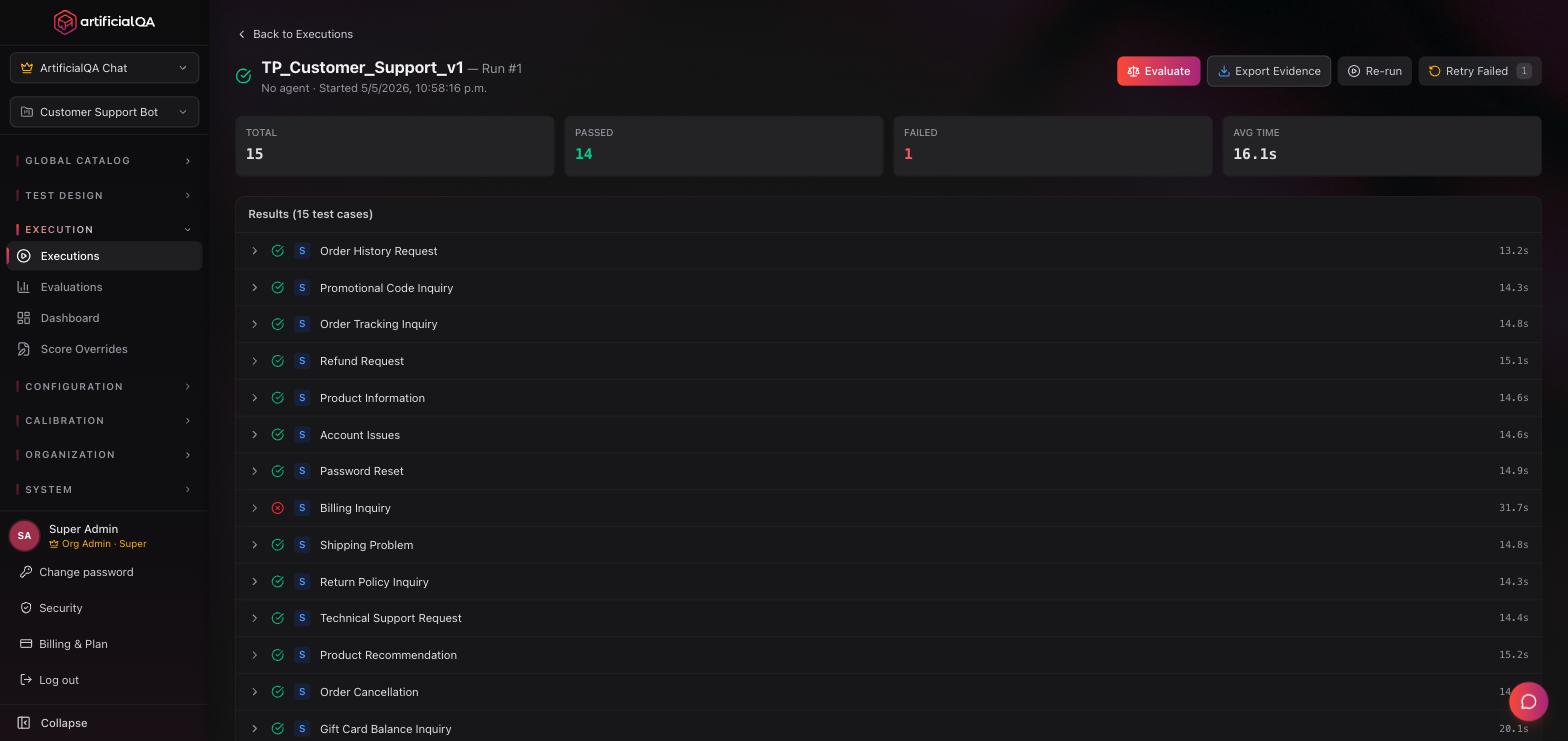
Run states
- Queued — waiting for an available worker.
- Running — executing.
- Ready to Evaluate — response capture finished. The execution cycle is closed; the next step (optional, in another stage) is sending the run to evaluation.
- Failed — something cut execution (unreachable connection, etc.).
Conversational cases
When a case is multi-turn, ArtificialQA keeps the session with the chatbot across all turns of the case. Each turn's response is saved and evaluated in the context of the conversation.
Tokens consumed during execution
It depends on the connection protocol:
- HTTP/API: the call to the chatbot does not consume tokens from the ArtificialQA pool. Unlimited (within your plan's execution quotas).
- Browser (Playwright): consumes tokens, because the platform uses an LLM (AI Locator) to dynamically detect the chat inside the page when CSS selectors aren't enough. It's one of the trade-offs when choosing between HTTP and Browser.
Other phases that consume tokens, regardless of protocol:
- AI generation prior to execution (if you generated the cases that way).
- The LLM evaluation phase (which happens in the next step).
Immutable snapshots
Each Run stores a complete snapshot: input sent, headers, raw response, timings, and logs. Even if you later modify the Test Case, the Connection, or the Suite, the Run preserves exactly what happened that time.
That's what allows auditing and reproducing results months later.
Common errors and how to fix them
- Response timeouts. Raise the timeout in the connection. If the chatbot legitimately takes long, adjust the expectation.
- Selector not found (Browser). The DOM changed. Update the connection's selectors. The Test Connection screen shows where the flow failed and the Run logs are available for inspection.
- 401 / 403 (HTTP). Credentials expired. Refresh them in the connection.
- Case "passes" when it should fail. Check if you only had soft asserts. Make them hard if you want the case to fail when not met.
Next step
You now have the Run with all responses. The next step is activating the evaluators on that run.